 Wednesday, November 04, 2026
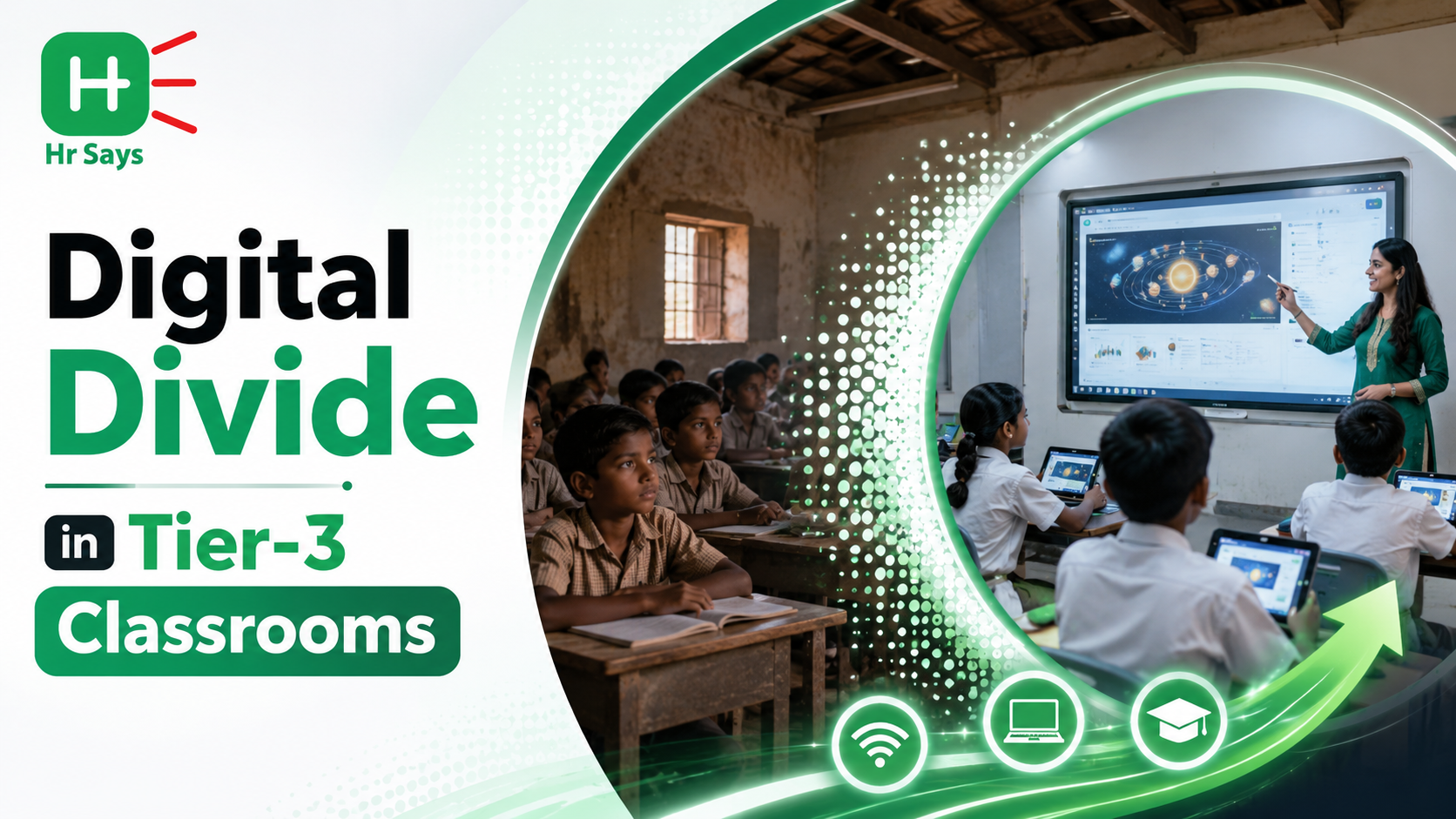
 While metropolitan educational hubs increasingly adopt high-speed fiber internet, interactive smartboards, and cloud-hosted AI learning platforms, Tier-3 towns, rural districts, and under-resourced schools face a starkly different reality.




While metropolitan educational hubs increasingly adopt high-speed fiber internet, interactive smartboards, and cloud-hosted AI learning platforms, Tier-3 towns, rural districts, and under-resourced schools face a starkly different reality. In these classrooms, the digital divide is not merely a lack of hardware—it is fundamentally an infrastructure bottleneck characterized by intermittent electrical power, non-existent or high-latency 2G/3G connectivity, low device affordability, and limited digital literacy among educators.
When standard modern EdTech platforms—built for high-speed Wi-Fi and modern smartphones—are introduced into low-bandwidth classrooms, they quickly fail due to slow video loading, broken asset links, and excessive data consumption.
Bridging this gap requires moving away from heavy, always-connected software toward offline-first, low-bandwidth EdTech architectures. Designed to function smoothly on minimal data, these tools ensure that quality digital education reaches every student, regardless of geographic or financial constraints.
1. Core Technological Approaches for Low-Resource EdTech
To build EdTech solutions that perform reliably in low-resource environments, developers and educational authorities rely on three core technological approaches:
Offline-First Architecture and Local Micro-ServersInstead of requiring an active cloud connection for every lesson, offline-first EdTech stores entire digital libraries, interactive modules, and assessments locally on inexpensive micro-servers installed directly in the school.
- Local Hardware Nodes (Raspberry Pi / MoodleBox): A low-cost micro-server (such as a Raspberry Pi running MoodleBox or Kiwix) acts as an offline Wi-Fi hotspot within the classroom. Students connect their low-cost tablets or smartphones to the local network to stream videos, download textbooks, and complete quizzes with zero internet usage.
- Asynchronous Data Syncing: When internet connectivity becomes briefly available (e.g., via a teacher's mobile hotspot or a weekly system update), the local server quietly syncs student progress logs, attendance records, and test scores up to central education department databases in compressed background batches.
Streaming standard 1080p HD video lectures over weak cellular networks is impractical. Low-bandwidth EdTech prioritizes lightweight content formats that minimize file size without sacrificing educational quality:
- Vector Animations over Heavy Video: Replacing live-action video with vector-based animations (like SVG or lightweight Lottie animations) reduces file sizes from 100 Megabytes down to just 2 Megabytes.
- Audio-First and Static Infographics: High-quality voice narration paired with clear, static diagrams provides high conceptual retention while using a fraction of the data required for video.
For students accessing learning materials from home without computers or broadband, tools utilize channels already supported by basic mobile phones:
- SMS & Interactive Voice Response (IVR): Delivers daily micro-lessons, multiple-choice quizzes, and automated audio tutoring over basic 2G cellular networks without requiring smartphone hardware.
- Low-Data WhatsApp / Telegram Learning Bots: Utilizes text, short compressed audio notes, and lightweight PDF worksheets, taking advantage of affordable messaging data packs available in rural areas.
2. Structural Evaluation: High-Bandwidth Cloud EdTech vs. Low-Bandwidth Offline Frameworks
Comparing traditional cloud-dependent software against an offline-first architecture highlights how low-bandwidth solutions solve core infrastructure hurdles across five key operational areas:
- Connectivity Requirement & Uptime: Cloud platforms demand continuous 4G/5G or high-speed fiber Wi-Fi, resulting in constant disruptions during outages. Offline-first frameworks function 100% offline using local micro-servers (like MoodleBox or Kiwix), providing zero downtime during lessons.
- Data Consumption & Cost: Heavy video platforms consume 500MB to 2GB per student daily. Low-bandwidth systems run on ultra-low data limits (less than 10MB per day) using text, compressed audio notes, and vector graphics, eliminating recurring data pack expenses for families.
- Hardware Accessibility & Equity: High-bandwidth EdTech requires modern laptops, smartboards, or high-end smartphones. Offline frameworks run seamlessly on low-cost tablets, feature phones, or refurbished devices, broadening digital access for low-income households.
- Content Delivery & Pacing: Synchronous cloud EdTech forces live video streams that stall on weak connections. Offline models utilize asynchronous micro-learning, interactive quizzes, and local caching, allowing students to learn at their own pace without bandwidth bottlenecks.
- Server Syncing & Data Integrity: Cloud systems make real-time database calls requiring open sockets, causing data loss when connections drop mid-quiz. Low-bandwidth systems use background batch syncing whenever connectivity is detected, ensuring progress logs remain safe.
3. High-Performance Action Plan for School Administrators and NGO Leads
To successfully deploy low-bandwidth EdTech solutions across Tier-3 and rural school districts, educational leaders can execute a structured three-phase operational roadmap:
- Audit Infrastructure and Deploy Offline Local Micro-Servers
Phase 1
Assess classroom electrical reliability and device availability. Install low-cost local micro-servers (e.g., MoodleBox or offline content hubs) pre-loaded with curated, open-source educational content (Kiwix, Khan Academy Kids offline, or local state board curricula). - Train Educators on Offline Blended Pedagogy
Phase 2
Conduct hands-on workshops for teachers, focusing on how to run technology-assisted lessons without internet reliance. Train staff to manage local Wi-Fi connections, monitor student progress via offline dashboards, and troubleshoot basic hardware setups. - Establish Asynchronous Syncing and Community Extensions
Phase 3
Set up weekly background data sync protocols to update student analytics to central education portals. Extend learning beyond the classroom by deploying low-data WhatsApp bots or SMS-based micro-quizzes for home study.
Actionable Strategy: Digital Governance and Academic Credential Integration
- Link Rural Student Milestones via Digital Academic Registries: Ensure that academic achievements, skill certifications, and exam results from low-bandwidth learning portals sync seamlessly to national repositories using verified frameworks like the APAAR ID system within the Academic Bank of Credits (ABC) network. This safeguards student academic mobility during relocations.
- Integrate Health and Wellness Profiles for Rural School Programs: For schools managing government nutritional schemes, routine health drives, or sports programs, sync student health records through secure digital channels like the ABHA ID (Ayushman Bharat Health Account) pipeline to coordinate care with district health officers.
- Establish Monthly Hardware and Battery Maintenance Audits: Conduct monthly inspections of offline server batteries, solar backup units, and student tablets to ensure continuous operation through local power cuts.
Frequently Asked Questions (FAQs)
Q1. What is an "offline-first" EdTech tool?An offline-first EdTech tool is software designed to store all essential learning content, interactive activities, and assessments directly on the local device or a local school server. It functions completely without an active internet connection and syncs student progress to the cloud only when connectivity becomes available.
Q2. How does a micro-server like MoodleBox work in a classroom without internet?A micro-server (such as a Raspberry Pi running MoodleBox) generates its own local Wi-Fi signal inside the classroom. Students connect their tablets or phones to this local signal to access stored learning materials, take quizzes, and submit assignments fast—all without using external internet or cellular data.
Q3. Can low-bandwidth EdTech tools deliver interactive content, or only plain text?Low-bandwidth tools can deliver rich, highly interactive content—including vector-based animations, HTML5 interactive simulations (like PhET science activities), compressed audio audiobooks, and interactive multiple-choice quizzes—by optimizing file compression and storing assets locally.
Q4. How do offline tools track student attendance and test performance for administrators?Offline platforms store student interactions and test results locally in an encrypted database. When a teacher or administrator connects the local server to a mobile hotspot or internet connection, the system automatically performs a lightweight background "batch sync" to push data to central government or school network servers.
Q5. Are low-bandwidth EdTech solutions expensive to implement in rural schools?No. Because low-bandwidth systems utilize open-source software (like Kiwix, Kolibri, or Moodle), low-cost micro-hardware (like Raspberry Pi units under $50), and existing low-cost smartphones or refurbished tablets, they are significantly more cost-effective than installing fiber broadband and purchasing high-end computers for every classroom.
Q6. How does an APAAR ID help students in Tier-3 and rural schools?An APAAR ID serves as a lifelong digital academic identity. It records verified grades, diploma credits, and skill certifications earned across both offline and online platforms in a national repository, ensuring students never lose academic records due to physical document loss or school transfers.
Q7. What open-source educational platforms are available for offline deployment?Popular open-source offline platforms include Kolibri (by Learning Equality), Kiwix (which compresses offline Wikipedia and Khan Academy into small packages), MoodleBox, and KA Lite.
Q8. How can low-bandwidth tools support home learning for students without smartphones?For households with basic feature phones, platforms can deliver micro-lessons, vocabulary builders, and math quizzes via automated SMS messages, IVR phone calls, or lightweight WhatsApp messaging bots that consume minimal data.
Q9. What role do solar-powered chargers play in deploying EdTech to remote schools?In areas facing frequent electrical outages, low-power micro-servers and tablets can be powered using small, portable solar panels and lithium battery packs, ensuring learning continues uninterrupted during grid power failures.
Q10. What immediate step should a district education officer take to evaluate low-bandwidth EdTech?Set up a pilot project in one resource-constrained school using a pre-configured, battery-powered local micro-server (like Kolibri on a Raspberry Pi) paired with 5 to 10 low-cost tablets to measure student engagement and system reliability over a 30-day period.